Cartoonify Me – Toon Photos
Tiki Punch StudioPhotography
4.0878.00 Reviews
- Version
- 5.3.0
- Installs
- 10.00M
- Age Rating
- Everyone
Screenshots
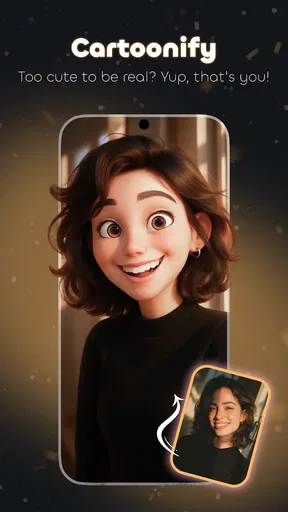
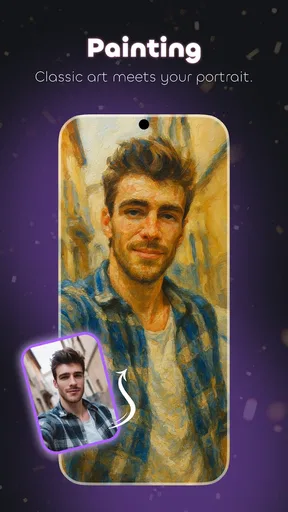
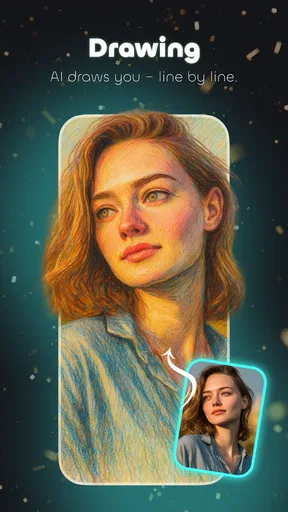
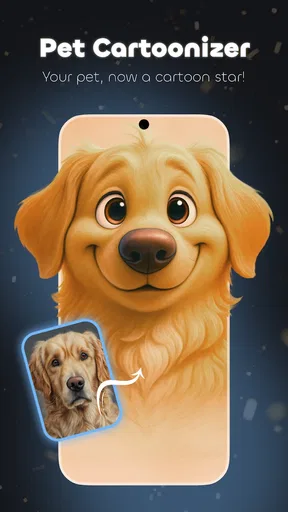
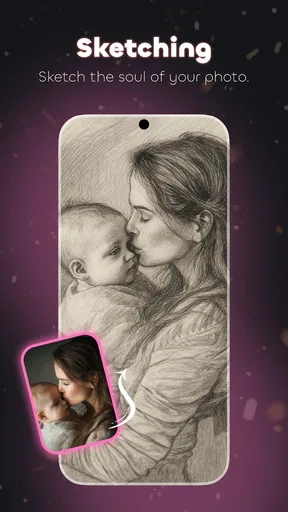
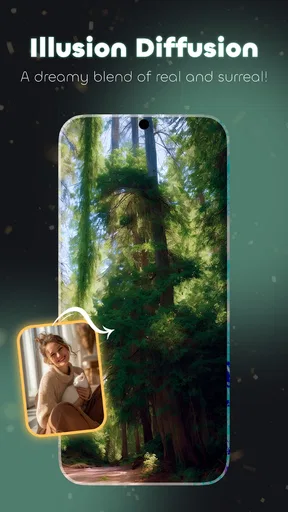
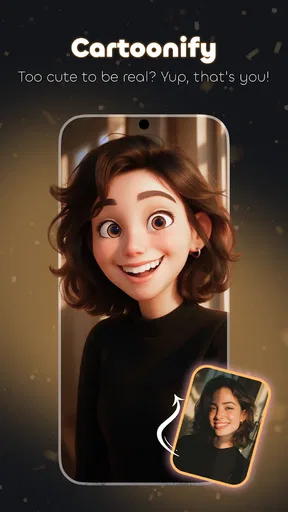
Our Review of Cartoonify Me – Toon Photos
 Analysis by Appyee
I like photo apps that give me something playful to do with a picture I already have, rather than asking me to learn a complicated editing workflow. That is the appeal of Cartoonify Me – Toon Photos: it turns a familiar selfie into a more expressive, illustrated-looking version that can work as a profile image, a message to a friend, or simply a bit of creative amusement. My recommendation comes with a caveat, though: this is best approached as a casual portrait-effects app, not as a replacement for a full photo editor or a tool for producing carefully art-directed illustrations.
What free access means in practice
Cartoonify Me is a free photography app from Tiki Punch Studio, so there is no purchase price to get started. That makes it easy to try when you only want to transform a few photos and see whether the style suits you. The app is rated for Everyone, and it has an average rating of 3.9 from around 31,000 ratings, with roughly 843 written reviews. Those figures suggest a sizeable audience and a mixed-but-positive reception, not a guarantee that every effect or result will suit every person.
It has passed 10 million installs, and version 5.3.0 supports Android 6.0 and later. Those details help set expectations about reach and compatibility, but they do not change the central question: do you enjoy the results enough to keep it on your phone? I would treat the free entry point as a low-commitment way to experiment rather than assume that every extra option is included. In-app purchases are mentioned, so check what is available in the app before relying on a particular extra for a project.
Where the app earns its place
The strongest value here is speed and play. Instead of building a stylized portrait from scratch, I can start with a selfie, compare a few cartoon treatments, and choose one that has the right mood. The adjustment options described in the app give me some room to make an effect less intense or alter the color feel, which matters because a dramatic transformation can be amusing on one picture and unflattering on another. A softer result may be more useful for an avatar, while a bolder one can make a joke or greeting stand out.
That makes the app handy for small, specific jobs: refreshing a chat profile, making a birthday message feel personal, or turning a group photo into something that gives friends a laugh. Backgrounds and text can help those images feel finished without needing a separate editor for every simple addition. Comic-strip tools also point toward a more playful use than a standard filter app, although I would still judge each finished image on its own rather than expect every source photo to work equally well.
Trade-offs I would keep in mind
Cartoon effects depend heavily on the photo you start with. A clear, front-facing portrait gives the app an easier subject to reinterpret than a dim image, a face partly hidden by hair, or a busy group shot. My practical tip is to test more than one photo before deciding that the style itself is wrong: a small change in lighting, angle, or background can alter how convincing and flattering a cartoon version feels. If the output looks too exaggerated, reducing the effect is a more sensible first move than adding more decorations.
The same convenience that makes the app fun also sets a limit. If I need precise control over layers, retouching, typography, or a consistent illustrated identity across a batch of images, a more comprehensive editing or design app is a better fit. Cartoonify Me is aimed at quick transformations and playful finishing touches, not detailed manual artwork. I would also avoid choosing an effect just because it looks striking in isolation; the best option is the one that keeps the person recognizable and readable at the small size used for an avatar.
Getting Started with Cartoonify Me
First things first, I headed over to the app store, downloaded Cartoonify Me – Toon Photos, and was greeted with a user-friendly interface. The layout is straightforward, which means you don't have to be a tech wizard to figure it out. Just snap a photo or upload one from your gallery, and you’re ready to dive into the magic of cartoon transformation.
The Cartoon Magic Unleashed
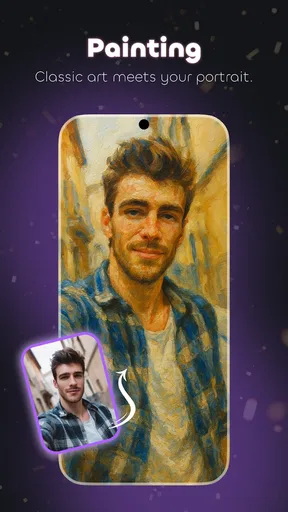
Once you’ve selected your photo, the app works its magic by offering a variety of cartoon styles. Whether you’re into classic Disney vibes or prefer a more modern anime look, there’s something for everyone. I found myself giggling at how each filter captured different aspects of my face, often exaggerating features in the most endearing ways.
One of the standout features is the ability to fine-tune your cartoon look. You can adjust the intensity of the effects, tweak colors, and even add in some fun accessories like hats and glasses. It’s like having a mini cartoon studio right in your pocket!
Exploring the Features
Beyond just cartoons, Cartoonify Me also offers a host of other photo editing tools. You can enhance your pictures with colorful backgrounds, add text, and even create comic strips. I spent hours experimenting with different combinations, and I must say, the possibilities are endless.
The app also allows you to share your creations directly to social media platforms. So, if you’re itching to show off your new animated self to friends and followers, it’s just a tap away. I found myself spamming my Instagram story with my cartoon doppelgangers, much to the amusement of my friends.
Performance and Ease of Use
As for performance, the app runs smoothly without any noticeable lag. It doesn’t require a high-end phone to function well, which is a major plus in my book. The processing time for images is quick, and I didn’t encounter any crashes or bugs during my use.
One thing I particularly appreciated was the lack of intrusive ads. While there are some in-app purchases for additional features, the free version is quite generous in what it offers. You can definitely enjoy the core functionality without spending a dime.
Why You’ll Love Cartoonify Me
If you’re looking for a fun and creative outlet, Cartoonify Me – Toon Photos is a delightful choice. It’s not just about turning photos into cartoons; it’s about expressing a different side of yourself in a playful way. The app is perfect for anyone who loves to experiment with their photos and isn’t afraid to embrace their silly side.
For an everyday example, I would use it after taking a quick selfie before sending a birthday message to a friend. I would try a few looks, choose the one that still resembles me, then add a short greeting and a background that suits the occasion. That small workflow is where the app makes sense: it helps turn an ordinary phone photo into something personal without asking me to start with a blank canvas. For a polished invitation or a design that needs exact spacing and brand colors, I would switch to a dedicated layout tool instead.
Compared with the usual alternatives, this sits between a one-tap filter and a full editor. A basic camera filter is quicker but usually offers less room to combine a cartoon treatment with text, backgrounds, or comic-style presentation. A full editing app can offer finer control, but that extra control often means more steps and decisions than I want for a silly avatar. This app’s appeal is that middle ground; the trade-off is that a quick preset-led workflow may not satisfy someone who wants to shape every line and detail by hand.
One useful way to judge a result is to look at it twice: first at full size, then as a small thumbnail. Facial details that seem charming when enlarged can blur together in a tiny profile circle, while a simpler treatment may remain clear. I would also keep an untouched copy of a photo if I planned to use it elsewhere, so experimenting with cartoon effects does not become my only version of an important picture. That is a practical habit for any creative editor, especially when trying several looks in one sitting.
For families or friends making a shared image, I would choose photos with similar lighting and framing before turning them into a comic-style set. The results are more likely to feel like they belong together when the source pictures have a consistent look. If each portrait has a different background or angle, the finished set may feel uneven even if each individual cartoon is entertaining. This is not a reason to avoid group creativity; it is a simple way to get a more coherent result without demanding advanced editing skills.
There is also a useful distinction between making a picture funny and making it flattering. Strong exaggeration can be great for a private joke, but it may not be what I want for a public profile or a work-related image. I would make the intended audience part of the choice: expressive accessories and bold effects suit playful sharing, while a restrained treatment is safer when I want people to recognize me quickly. If none of the options preserves the expression I like, the original photo is probably the better choice.
Who will get the most out of it
I think it is a good match for anyone who enjoys trying visual effects but does not want to spend time learning advanced editing controls. It is especially appealing for casual social sharing, lighthearted gifts, and people who like changing their avatar now and then. The ability to work from a new photo or one already in the gallery gives it flexibility for spontaneous ideas as well as pictures taken earlier.
I would skip it if my main goal were realistic retouching, professional portrait finishing, or dependable control over a series of images. It is also not the right choice if I dislike exaggerated facial treatments or expect every photo to produce a result I would publish. The sensible approach is to judge the app by the fun of experimenting and the usefulness of the particular image it creates, not by treating cartoon conversion as a universal upgrade to a photograph.
Questions worth considering before you start
Can I use a photo from my gallery rather than take a new one? Yes: the workflow supports either snapping a picture or choosing one already stored on the phone. That makes it possible to revisit an older portrait, though a clear face and uncomplicated framing are still the safer starting point. Will it work on an older Android device? The current version supports Android 6.0 and later, so a device running an earlier system would not meet that requirement.
Do I have to pay to try it? The app is free to download, and its basic use can be explored without paying; some additional features are offered through in-app purchases, so I would check the option itself before planning around it. Is it only for making avatars? No: the described tools also include backgrounds, text, and comic strips, which give it room for simple greeting-style creations. Can I share the finished picture? The app supports direct social sharing, while saving or sharing through the phone’s usual image workflow is worth checking in the version installed on your device if you have a specific destination in mind.
In conclusion, Cartoonify Me is a must-try for anyone with a penchant for creativity and self-expression. It’s easy to use, packed with features, and most importantly, it’s a whole lot of fun. So go ahead, give it a try, and prepare to be amazed by your cartoon alter ego!
Verdict
Strengths of Cartoonify Me – Toon Photos
- Easy-to-use interface for quick edits.
- Wide variety of cartoon styles available.
- High-quality output with vibrant colors.
- Supports sharing directly to social media.
- Fast processing time for image conversion.
Limitations of Cartoonify Me – Toon Photos
- Limited free features, requires in-app purchases.
- Occasional ads may interrupt workflow.
- Some styles may look similar to others.
- Requires internet connection for full functionality.
- Limited editing tools beyond cartoon effects.
Similar Picks in This Category
View All
Google Photos
Google LLC4.4

Gallery
Google LLC4.2

Picsart AI Photo Editor, Video
PicsArt, Inc.3.9

B612 AI Photo&Video Editor
SNOW Corporation4.1

BeautyPlus-Selfie Photo Editor
PIXOCIAL TECHNOLOGY (SINGAPORE) PTE. LTD.4.5

Remini - AI Photo Enhancer
Bending Spoons4.1
Frequently Asked Questions
What is Cartoonify Me – Toon Photos and what can I do with it?
Cartoonify Me – Toon Photos is an app designed to transform your regular photos into cartoon-like images. It offers a variety of filters and effects that mimic different cartoon styles. Users can apply these effects to selfies and other images, making them look like animated characters or scenes.
Is Cartoonify Me – Toon Photos free to use, or does it require a subscription?
Cartoonify Me – Toon Photos offers both free and premium features. While you can access basic filters and effects for free, a subscription is required to unlock advanced tools and remove ads. The subscription typically includes a free trial, so users can explore premium features before committing.
How user-friendly is Cartoonify Me – Toon Photos for beginners?
The app is designed with a user-friendly interface, making it accessible even for beginners. It includes step-by-step guides and tutorials to help users navigate through the various features. The intuitive design ensures that applying effects and saving photos is straightforward and quick.
Can I share my cartoonified photos directly from the app?
Yes, Cartoonify Me – Toon Photos allows you to share your creations directly on social media platforms like Instagram, Facebook, and Twitter. The app has built-in sharing options that make it easy to post your cartoonified images with just a few taps, ensuring you can showcase your new look instantly.
What kind of privacy measures does Cartoonify Me – Toon Photos have in place?
Cartoonify Me – Toon Photos is committed to user privacy. The app does not store your personal images on its servers without permission. It also follows industry-standard encryption protocols to protect user data. Always review the app's privacy policy to understand how your data is handled.
